
|
|
|
|||
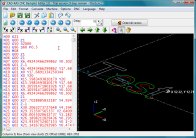 Let this program draw the tool path of any G-Code program on the screen. This program will help you write NC code programs or to learn how to write NC programs or event to debug such programs. Our software supports the standard G-Code commands and also sub program calls and macro programming with IF statements and WHILE loops etc. The program draws a graphical representation of the programmed G-Code tool path in an isometric 3D view.
File size: ~934 Kb
Price of the full version: $79
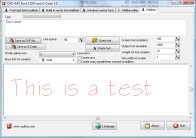 Create a text in any installed true type font or a single line font and save the result as dxf file or G-Code file. So you can plot the font to use it for engravings with your NC machine etc. You can also create stencil fonts. You only enter the text and click on "Save as DXF file...". The text will be saved as polygon line and arc information in the DXF file. The program ships with a couple of single line fonts. So now you can not only render the outline of True Type fonts but also one midline font. Version 3 can output the G-Code for your NC machine directly. And this version can now create arcs not only line segments as output. With the font editor you can create your own single line fonts.
File size: ~2400 Kb
Price of the full version: $99
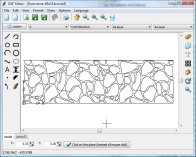 With this CAD application you edit or create drawings in the dxf file format. You can open, view and edit existing dxf files loss-free. No property of the dxf file will be lost or destroyed, because this program is based on the dxf file format and does not make a dxf import and export into an internal format. You can add lines, construction lines, rays, polylines, rectangles, polygons, arcs, circles, B-Spline curves, ellipses, dimension, text...
File size: ~893 Kb
Price of the full version: $39.99
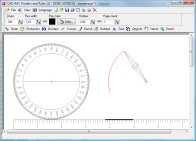 Draw with dividers, ruler, protractor, pencil and rubber on the screen as you would do it on a sheet of paper. You see a real ruler on the screen which you can move and rotate. You can then draw along the ruler. If you want to make constructions on the computer this is the easiest way.
File size: ~719 Kb
Price of the full version: $79
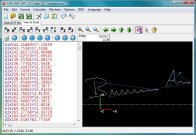 Convert the lines of a DXF file into G-Code. After clicking on a DXF file you get the G-Code and a graphical representation (plot) of the G-Code. You can save the G-Code or modify it before you save it.
File size: ~979 Kb
Price of the full version: $79
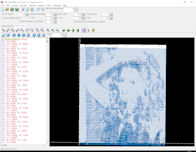 Create G-Code from pictures and photos. You can use the G-Code to engrave the picture with a laser machine or a mill. You only need to select the picture from hard disk. You get a preview of the G-Code on screen. You can then save the G-Code or edit it.
File size: ~3900 Kb
Price of the full version: $59
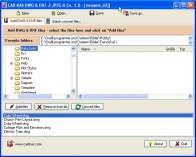 Batch convert CAD drawings from DWG or DXF file format to image files (JPEG, BMP, GIF, TIF, TGA, PCX). This is perfect if you want to publish your CAD drawings on Internet for example or if you want to send your drawings with email. The program saves every layout in an separate image file. The only thing you have to do is to select an output size for the images and an output folder. You can batch convert as many DWG/DXF files with one click as you want.
File size: ~740 Kb
Price of the full version: $69
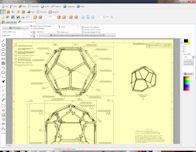 Do you get PDF files with CAD drawings inside? Now you can extract these drawings and save it as DXF file and open it in you CAD application. PDF 2 DXF can open PDF files and save all vector objects as DXF file. Version 2.0 can now also convert text objects! The program can not save bitmap graphics in a PDF file as DXF file.
File size: ~7000 Kb
Price of the full version: $49
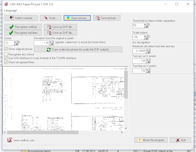 Convert CAD drawings from paper sheets or pictures into digital DXF files for editing in your CAD application. Scan a drawing or open a picture from your hard disk. The program recognizes the lines and saves the result as a DXF file. This saves much of time and money if you need to import paper drawings into your CAD application.
File size: ~1500 Kb
Price of the full version: $49
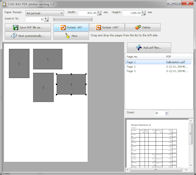 Many cheap plotters cannot do the nesting itself. So if you do not want to change the paper formats constantly then you produce a ton of waste paper. In order to allow also cheap plotters to do the nesting there finally is this new program: First you select the paper format. Then you can read in one or many pdf files. You can now place and position the pages of the pdf files on the selected paper format. You can rotate the pages in 90 degree steps. The positioning and rotation can be repeated if needed. You can read in additional pdf files which can be positioned additionally until the selected paper format is used optimal. Now the result can be saved as new PDF file.
File size: ~4100 Kb
Price of the full version: $39
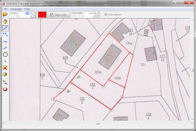 Trace a picture. Draw curves and lines over the picture. You can then print or export this lines without the picture. You can export as DXF, EMF, SVG (vector data) or as picture (JPG. BMP etc.). You can use the program for example to trace a graphic to include it into a presentation or you can scan a plan to edit the lines. This program is your solution. The program supports quadratic Bezier curves and cubic Bezier curves.
File size: ~996 Kb
Price of the full version: $29
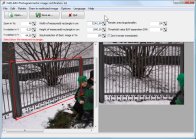 Rectify photos with the help of photogrammetry. So you get a completely level view of one side of a building for example. So you can take the result for measurements of this building. You can export the result as picture or as DXF file. If you take a photo of a rectangle what you get is a trapezoid. The program will rectify the trapezoid so that it will be a rectangle again and the scale of the original object will be restored.
File size: ~1084 Kb
Price of the full version: $39
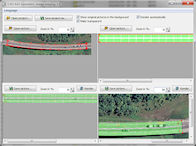 The program warps a part of an image into a given form which you have selected on another image. For example if you have a aerial image of a bridge with a curved shape and want to match its curved shape to a rectangular map with a coordinate system. The program can match the coordinate system to the bridge or the bridge to the coordinate system. You load both images into the program at the top part. Then you can specify the 4 corners with the left mouse button. But with the right mouse button you can add additional points between the two first and the two last corner points.
File size: ~1068 Kb
Price of the full version: $39
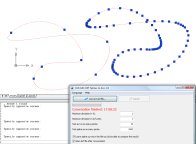 Convert B-Spline curves contained in DXF files into arcs. So it will be possible to further process the dxf files and use it with your CNC machine. The program reads existing DXF files and writes the result into a new DXF file. You can specify the maximum deviation of the arc polyline curve from the original B-Spline curve. So you can decide if you want to create more arcs and get an more exact result or if you want less arcs.
File size: ~766 Kb
Price of the full version: $39
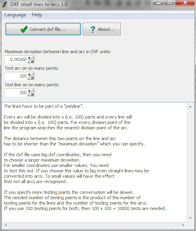 Convert B-Spline curves contained in DXF files into arcs. So it will be possible to further process the dxf files and use it with your CNC machine. The program reads existing DXF files and writes the result into a new DXF file. You can specify the maximum deviation of the arc polyline curve from the original B-Spline curve. So you can decide if you want to create more arcs and get an more exact result or if you want less arcs.
File size: ~974 Kb
Price of the full version: $39
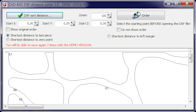 Sort the elements of a DXF file so that the elements which are nearest together can be processed successively. So you can optimize a DXF if you want for example cut or mill the file later on. The optimization minimizes the time needed to cut the file. You can setup a starting point in DXF coordinates before the sorting process. The program will then start with the DXF element which is the nearest to the starting point.
File size: ~650 Kb
Price of the full version: $29
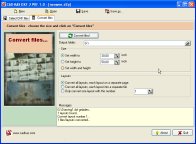 Convert CAD plans and drawings from DXF file format into the PDF file format. This is useful if you need to make sure that everyone can view your cad plans without the need to have a CAD application installed. So you can publish your CAD drawing on internet or send it as email. The program saves all layout inside of one or multiple PDF files. You only have to select the output folder and the output size you desire. The program can batch converts as many files as you want with one mouse click. The program creates pdf files with vector commands for maximal quality.
File size: ~811 Kb
Price of the full version: $49
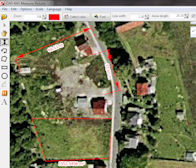 Measure the length and area of things on a picture, e.g. a scanned plan. First you can specify the scale. For that you can enter the length of a known stretch. Now you can measure the length of a stretch or the total length of a combination of stretches. Another possibility is to measure the area and perimeter of a polygon, a rectangle, a circle or an ellipse.
File size: ~1471 Kb
Price of the full version: $29

|
|||


 Basket